|
AudioGoGo 2.0 is one of the best MP3 encoders available and it's FREE!
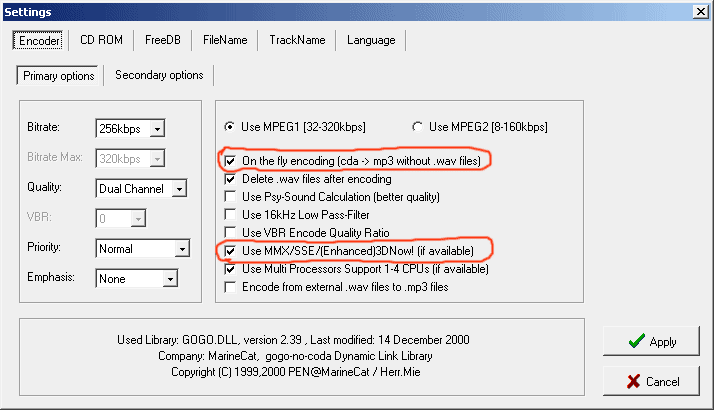
To install Audiogogo, simply use a program such as WinZip to unzip the file audiogogo.zip to a folder on your computer. Do not drag the files out of the zip archive because the directory structure saved in the archive must be preserved for the program to work correctly. Once you have unzipped it, you can run the the program audiogogo.exe and begin ripping/ encoding CDs or encoding from WAV files. The program is very intuitive, supports 30 languages, has a lot of nice features, and it is very fast. In order to get the most performance out of the program, make sure you enable on the fly encoding and MMX/SSE/3DNow! instructions:
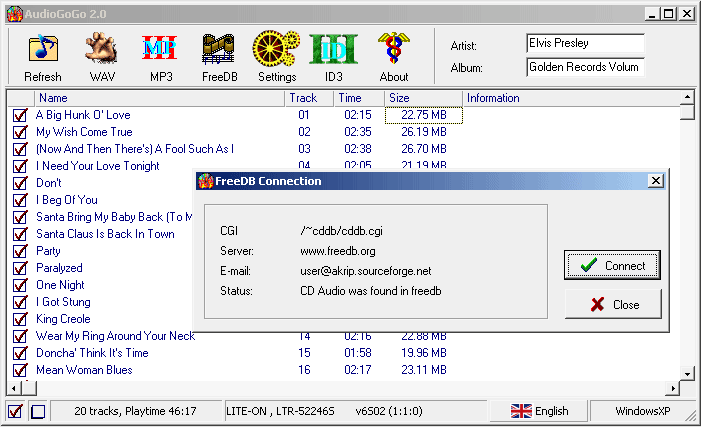
The program accesses the free CD database at www.freedb.org. Most MP3 encoders nowadays make use of such a database, but some of the free ones do not. Also, most encoding programs implement the database feature in a way that can be disruptive, with Audiogogo, you have more control.
Click HERE to download your copy of Audiogogo.
|